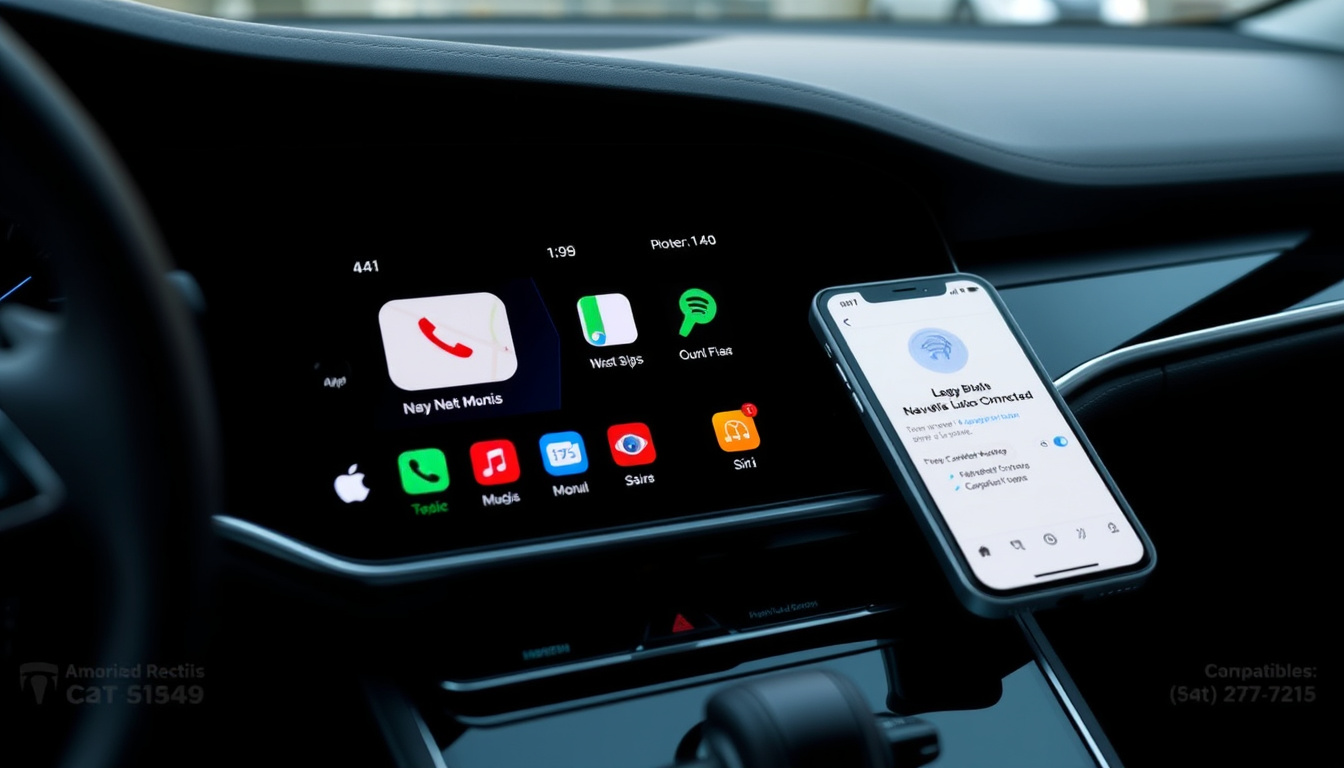

Apple CarPlay eliminates windscreen clutter by letting your iPhone command your car’s display — but adding it to older vehicles isn’t always obvious. Here’s what UK and Irish drivers actually need to know, with real pricing from Halfords and Dublin-based installers.
Monthly Fee: None ·
Connection Methods: USB or wireless ·
Compatible iPhones: iPhone 5 and later ·
Key Functions: Directions, music, calls ·
Sample Install Cost: 300€ for upgrade box
Quick snapshot
- CarPlay requires no monthly subscription (Halfords Ireland CarPlay page)
- Wireless 7-inch units start at €60 (Halfords Ireland car audio catalogue)
- Hundreds of car models ship with CarPlay from the factory (Halfords Help centre)
- Exact compatibility varies by model year — not every trim level includes CarPlay (Halfords Ireland fitting service page)
- Standalone fitting fees without purchasing a stereo are not publicly listed by Halfords Ireland (Halfords Ireland fitting service page)
- DIY success rates depend heavily on vehicle wiring and head unit type (Halfords Ireland fitting service page)
- Wireless CarPlay adoption is accelerating across new models
- Some manufacturers like GM have announced plans to phase out CarPlay in favour of native systems
- Halfords Ireland continues to expand its CarPlay stereo range with current models available
- Check your car’s existing setup — factory CarPlay or aftermarket head unit?
- Compare upgrade box costs against full stereo replacement
- Book a fitting slot at Halfords or explore independent installers in your area
The table below consolidates key Apple CarPlay specifications sourced from Halfords and manufacturer documentation.
| Detail | Value |
|---|---|
| Developer | Apple |
| Subscription | Free, no monthly fee |
| Connection | USB port or wireless |
| Functions | Music, maps, calls, digital car keys |
| Retailers | Halfords, RadioKing.ie |
| Wireless unit starting price (Ireland) | €60.00 |
| Free delivery threshold (Ireland) | Over €40 |
| Average fitting time | 1 hour |
| Maximum fitting time | 2 hours |
| Fitting guarantee | 12 months |
| Voice control | Siri |
What does Apple CarPlay actually do?
Apple CarPlay takes your iPhone’s apps and projects them onto your car’s built-in display, giving you a safer way to interact with navigation, music, and calls while driving. Instead of squinting at a phone propped on the dashboard, you get a simplified interface that mirrors Apple’s familiar layout directly on your head unit screen.
The system handles four core functions: turn-by-turn directions via Apple Maps or Google Maps, music playback from Apple Music, Spotify, or other audio apps, hands-free phone calls and messaging through Siri, and digital car keys that let you unlock and start certain vehicles using your iPhone. Halfords Ireland notes that Siri handles all voice commands once CarPlay is active, meaning you can keep your eyes on the road throughout your journey.
Key features on car display
When connected, your car’s display shows large, driver-friendly app icons — Navigation, Phone, Music, Messages, and more. The interface is deliberately minimal to reduce distraction. You can tap and swipe on the touchscreen, use rotary controls if your car has them, or simply speak commands to Siri. The goal is replicating your phone’s utility without the physical handling that makes mobile phone use dangerous behind the wheel.
Integration with iPhone apps
CarPlay doesn’t run its own apps — it essentially mirrors compatible apps from your iPhone onto the car screen. That means any update to Apple Maps or your preferred Spotify version carries through automatically. Third-party apps like Waze, WhatsApp, and BBC Sounds also work with CarPlay, giving you flexibility in how you navigate and stay entertained on the road.
For drivers who already rely on their iPhone for maps and music, CarPlay eliminates the middleman — your car’s display becomes a larger, safer remote for the apps you already use every day.
The pattern is clear: CarPlay shifts interaction from handheld device to dashboard, which reduces physical handling and keeps focus on driving.
What cars are compatible with Apple CarPlay?
Compatibility depends on two factors: whether your car came with CarPlay built-in, and whether your head unit can support an aftermarket upgrade. Newer vehicles increasingly ship with CarPlay as standard or as an optional extra, but older models require a different approach entirely.
Factory-equipped models
Car manufacturers started adding CarPlay as a factory option around 2014, and adoption has grown steadily since. Most major brands — Ford, Volkswagen, BMW, Toyota, Hyundai, Kia, and many others — now offer CarPlay across their model ranges. However, the feature isn’t always standard: some manufacturers restrict it to higher trim levels or charge extra for it as a selectable option. If you’re buying a new or nearly new car, check the spec sheet carefully — “infotainment upgrade” or “connectivity package” may be the line item that includes CarPlay.
Aftermarket upgrade options
For vehicles without factory CarPlay, an aftermarket head unit replacement opens the door. Halfords sells single DIN and double DIN stereos that support CarPlay, with wireless units featuring 7-inch touchscreens starting from €60. These units replace your existing car radio entirely, connecting to your iPhone either via USB cable or wirelessly through Bluetooth pairing. The installation process is comparable to swapping any standard car stereo, according to Halfords Ireland.
Older vehicles without compatible head units can still upgrade via head unit replacement. Some vehicles require a visual inspection before fitting to confirm adapter parts are available, with an additional appointment arranged at no extra cost if needed.
The implication is that most cars on Irish roads from 2014 onwards have at least one viable upgrade path, whether factory or aftermarket.
Compatibility varies significantly by era, as shown in the comparison below.
| Car Year | Factory CarPlay | Aftermarket Option |
|---|---|---|
| 2014 – 2016 | Limited models, often optional extra | Usually viable with adapter |
| 2017 – 2019 | Common on mid-range and above | Fully supported |
| 2020 – present | Standard on most new models | Replacement rarely needed |
The catch is that even when CarPlay is available, trim-level restrictions mean you may need to verify the exact specification before purchase.
How do I get Apple CarPlay in my car?
Getting CarPlay working comes down to your hardware situation. If your car already has it, setup takes minutes. If you’re adding it after purchase, you’ll need either a wired USB connection or a wireless setup — both work, but have different requirements.
Wired setup steps
For a wired connection, you’ll need a Lightning cable and a CarPlay-equipped head unit. The process is straightforward: connect your iPhone to the USB port in your car (often labelled with a CarPlay icon), and the system should launch automatically within seconds. You’ll see the CarPlay interface appear on your display, and Siri will confirm that you’re connected. Your iPhone needs to be running iOS 6 or later, which means any iPhone 5 or newer is compatible.
Wireless connection
Wireless CarPlay removes the cable requirement by pairing your iPhone to the head unit via Bluetooth, then maintaining a Wi-Fi connection for data. This is available on newer factory-installed units and on select aftermarket stereos. To set it up, go to your iPhone’s Bluetooth settings, find your car’s head unit, and pair them. Once paired, CarPlay launches automatically whenever you’re in the car and your phone is unlocked. Halfords Ireland stocks wireless-compatible units that support both CarPlay and Android Auto, with 7-inch screens included.
Wireless CarPlay isn’t just about convenience — it addresses a safety issue. Wired CarPlay requires you to physically handle your phone to plug it in. Wireless eliminates that step, meaning your phone can stay in your pocket or bag throughout the journey.
Wireless adoption is rising because it removes the one moment where drivers must reach for their phone.
Can I install Apple CarPlay on my car?
Yes, but how you do it depends on your car and your comfort level with DIY work. There are two main routes: professional installation through a retailer like Halfords, or a self-installed aftermarket setup if you’re confident with car electronics.
Professional installation like Halfords or CBS Automotive
Halfords offers car audio fitting services across both the UK and Ireland, bundling installation with your stereo purchase. The process works like this: you browse the Apple CarPlay stereos online or in-store, select the “fully fitted” option at checkout, and then schedule an appointment at your nearest Halfords store. The store will contact you after ordering to confirm vehicle-specific details — some cars require additional adapter parts or a visual inspection before fitting, which Halfords arranges at no extra charge.
The actual fitting takes roughly one hour on average, with a maximum of two hours depending on the vehicle make and model. Halfords provides a 12-month guarantee on the installation work, along with a full demonstration of the new stereo once complete. For Irish customers, delivery is free on orders over €40, and interest-free credit options are available on larger purchases.
DIY options
If you’re comfortable working with car electronics, you can buy a CarPlay unit from Halfords or another retailer and install it yourself. The mechanical side is essentially swapping a car stereo — disconnecting the battery, removing the existing head unit, connecting the wiring harness, and securing the new unit in the dash. However, DIY installation carries risks: wiring colour codes vary between manufacturers, and some newer vehicles have complex CAN bus integrations that require additional modules.
Professional fitting is the safer route, especially if your car is under warranty or has advanced electrical systems. Halfords recommends professional installation for a hassle-free setup, and their in-store staff can also help you choose the right unit for your specific vehicle before you commit to a purchase.
Halfords staff note that most Apple CarPlay stereo installations take no more than two hours, with simpler vehicles often completed even faster. This timeframe includes wiring integration, testing, and a walkthrough of the new system’s features. If you’re looking to upgrade your car’s audio system, you might also be interested in the cheapest car insurance UK.
The takeaway is that professional installation trades a modest cost premium for warranty protection and guaranteed compatibility — a trade-off that favours most car owners.
How much does it cost to put Apple CarPlay in a car?
Costs break down into two components: the hardware (the CarPlay unit itself) and the installation (professional fitting, if you choose it). Neither requires an ongoing subscription — Apple doesn’t charge for CarPlay use.
Upgrade box prices
Aftermarket CarPlay stereos range widely in price. At Halfords Ireland, wireless CarPlay and Android Auto units with 7-inch touchscreens start at €60. Higher-end models with larger screens, built-in navigation, or premium audio processing cost more. For vehicles with specific upgrade needs — such as the Mercedes-Benz A-Class — dedicated CarPlay upgrade boxes are available from specialist providers, with Dublin-based installation quoted at around €300.
Professional fitting fees
Halfords doesn’t publish standalone fitting prices separately from stereo costs — installation is bundled as a “fully fitted” option when you purchase a head unit. The total price combines the unit cost with the labour fee, calculated at checkout based on the stereo you’ve selected. This bundled approach means you get a single total price rather than worrying about separate labour charges.
Halfords Ireland also offers free home delivery on orders over €40, and 0% interest-free credit is available on larger purchases. Their UK operation mirrors this structure, with a 12-month guarantee covering both the hardware and the installation work.
Pricing tiers make it easy to choose based on budget, but the lack of standalone fitting quotes means customers must commit to a stereo purchase to see total cost upfront.
Cost comparison across available options shows the range from budget to premium solutions.
| Option | Approximate Cost | Includes |
|---|---|---|
| Budget wireless CarPlay stereo | €60 – €100 | 7-inch touchscreen, wireless CarPlay, Android Auto |
| Mid-range CarPlay stereo | €150 – €250 | Larger screen, enhanced audio, DAB radio |
| Dedicated upgrade box (e.g., Mercedes) | €300+ (installed) | Module-specific integration, professional fit |
| Fully fitted bundle (Halfords) | Varies by unit | Stereo + fitting + 12-month guarantee |
The pattern across pricing tiers reveals that most buyers can enter CarPlay ownership for under €100 in hardware, with the upgrade box segment reserved for vehicles requiring proprietary integration.
Upsides
- No monthly fee — one-time hardware and installation cost
- Wireless CarPlay units available from €60
- Professional fitting at Halfords includes 12-month guarantee
- Free delivery in Ireland on orders over €40
- Interest-free credit available on larger purchases
- Average installation takes just 1 hour
Downsides
- Factory CarPlay availability varies by trim level and model year
- Standalone fitting fees not publicly listed — must buy unit first
- Some vehicles need additional parts or inspections before fitting
- DIY installation risks include voiding warranty and wiring errors
- GM and some other manufacturers are phasing out CarPlay in newer models
- Wireless CarPlay drains phone battery faster than wired
Apple CarPlay Specifications
Specs vary between factory-installed and aftermarket units, but the core requirements stay consistent across all options.
The specification table below summarises hardware and software requirements sourced from Apple and Halfords product documentation.
| Specification | Requirement |
|---|---|
| iPhone compatibility | iPhone 5 and later (iOS 6+) |
| Connection type | USB (wired) or Bluetooth + Wi-Fi (wireless) |
| Display control | Touchscreen, rotary dial, or Siri voice |
| Core apps | Maps, Phone, Music, Messages, Siri |
| Third-party apps | Waze, Spotify, WhatsApp, BBC Sounds, and more |
| Screen sizes (aftermarket) | 6.2″ to 9″ typical |
| Form factors (aftermarket) | Single DIN or Double DIN |
| Digital car keys | iPhone 12+ on select vehicles (BMW, Hyundai, Kia) |
| Monthly cost | None |
| Average fitting time (Halfords) | 1 hour, up to 2 hours for complex fits |
What this means: most modern iPhones and aftermarket head units satisfy the compatibility bar, making the upgrade accessible to a broad vehicle base.
How to Set Up Apple CarPlay (Step by Step)
Whether you’re setting up a factory-equipped car or activating a newly installed aftermarket unit, the process follows a consistent pattern.
- Check compatibility — Confirm your car has CarPlay (factory or aftermarket) and your iPhone is iPhone 5 or later.
- Connect your iPhone — For wired setup, plug a Lightning cable into the CarPlay USB port in your car. For wireless, enable Bluetooth on your iPhone and pair with your car’s head unit.
- Approve the connection — If prompted, tap “Allow” on your iPhone to let CarPlay access your contacts, messages, and location while driving.
- Launch CarPlay — The CarPlay interface should appear automatically on your car’s display within seconds of connecting.
- Use Siri to control it — Press and hold your car’s voice control button (or say “Hey Siri”) to issue commands hands-free while driving.
- Customise the apps — Rearrange app icons on the CarPlay display from your iPhone under Settings > CarPlay > [Your Car].
With CarPlay, get directions, play music, and more on your car’s built-in display. — Halfords Ireland CarPlay product listing
We strongly recommend getting your Apple CarPlay stereo professionally fitted for a trouble-free setup. — Halfords UK CarPlay guide
Related reading: REVS Check QLD Guide · 2024 Kia Sportage Hybrid
After verifying compatibility and handling costs, consult a full usage guide to master CarPlay’s navigation and app controls safely.
Frequently asked questions
Is there a monthly fee for Apple CarPlay?
No. Apple CarPlay itself is free — there’s no subscription, no licence fee, and no ongoing cost beyond the initial hardware purchase. Once you have a CarPlay-equipped head unit (factory or aftermarket) and an iPhone, the feature works without any additional payments.
Can I install Apple CarPlay myself?
You can, if you’re comfortable replacing a car stereo. The mechanical work is similar to any head unit swap, but wiring and electrical integration can be tricky on newer vehicles. Professional fitting at Halfords takes about an hour and includes a 12-month guarantee — which DIY installations typically don’t offer. If your car is under warranty, professional installation is the safer choice to avoid voiding coverage.
What are the disadvantages of Apple CarPlay?
CarPlay requires your phone to be present and charged, which means wireless setups can drain your battery on longer journeys. Some manufacturers are reducing CarPlay support in favour of their own native infotainment systems, potentially limiting future availability on new vehicles. Additionally, CarPlay doesn’t run independently — it’s a mirror of your phone, so app quality depends on your iPhone’s performance.
Why are cars getting rid of Apple CarPlay?
General Motors announced plans to phase out CarPlay on its electric vehicles in favour of a Google-powered native system, citing a desire for deeper integration with vehicle electronics and a more consistent user experience. Other manufacturers haven’t made similar broad commitments, but the trend reflects a broader tension between proprietary connected car platforms and smartphone-mirroring solutions like CarPlay and Android Auto.
Can Halfords fit Apple CarPlay?
Yes. Halfords in both the UK and Ireland offers Apple CarPlay stereo installation as a bundled option when you purchase a compatible head unit. The fitting process takes roughly one hour on average, and Halfords provides a 12-month guarantee on the installation. You can select the fitting option at online checkout or add it in-store.
Is Apple CarPlay free?
Yes — CarPlay itself is a free feature built into iOS. The only costs are the hardware you need to use it: either a car with factory CarPlay (included in the purchase price of the vehicle) or an aftermarket stereo if you’re adding it to an older car. There is no subscription, app purchase, or licence fee associated with using CarPlay.
What is Apple CarPlay Android?
Apple CarPlay and Android Auto are separate but comparable systems. CarPlay is Apple’s platform for iPhone users, while Android Auto is Google’s equivalent for Android phones. Many aftermarket CarPlay units also support Android Auto, meaning a single stereo can serve both ecosystems. At Halfords Ireland, wireless 7-inch units are available that support both CarPlay and Android Auto simultaneously.
For UK and Irish drivers, the path to CarPlay is clearer than it might first appear: buy a compatible unit, book a fitting slot at Halfords, and within an hour your car’s display mirrors your iPhone. The only real decision is whether to spend €60 on a budget wireless unit or invest in a higher-spec model with premium audio features. Either way, there’s no subscription to worry about — just plug in (or pair wirelessly) and drive.

Thomas Webb leads fact-checking, source verification and corrections at Aussie Insightly.