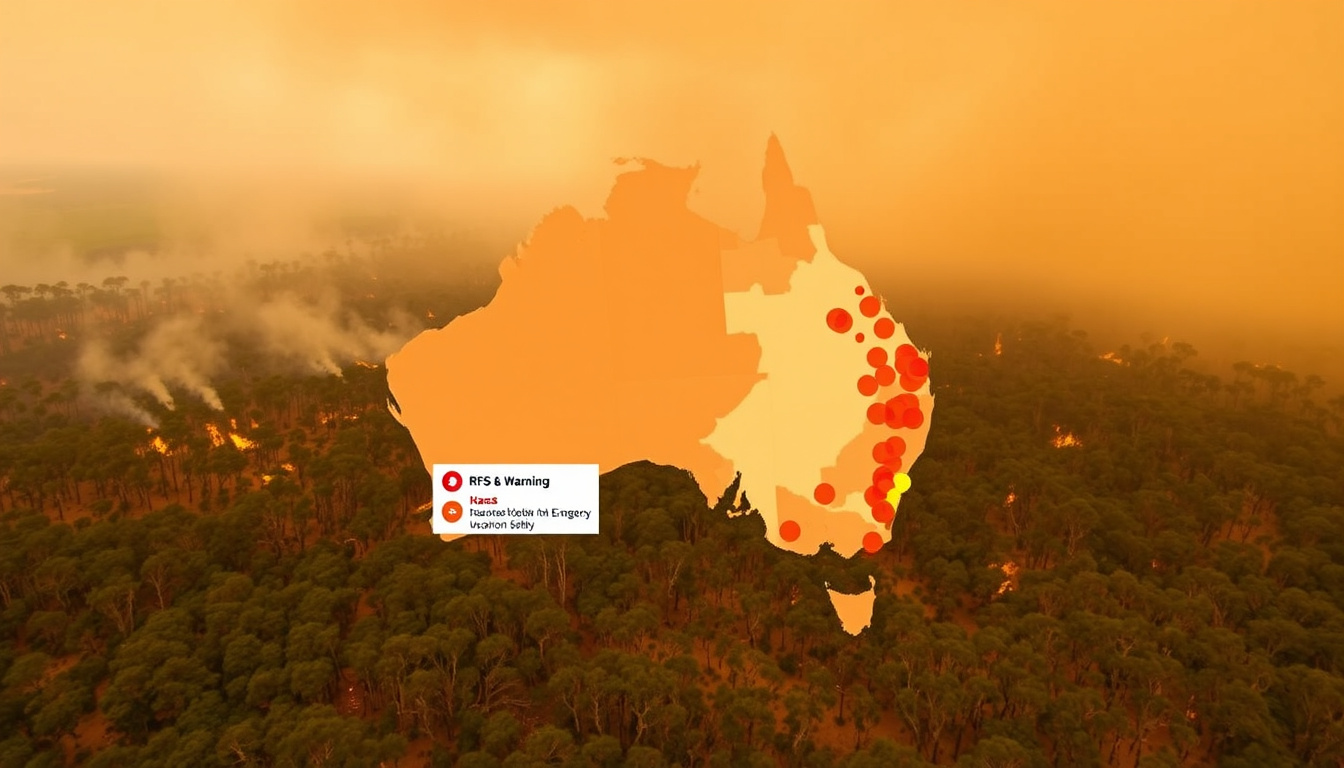

If you’ve ever smelled smoke and wondered whether a fire was headed your way, you already know how fast things can move in the Australian bush. NSW residents have a built-in advantage: the NSW Rural Fire Service runs real-time fire tracking tools that put active incidents on your screen in minutes. This guide walks you through exactly how to use them.
Official Fire Tracker: NSW RFS Fires Near Me ·
Rebranded App: Hazards Near Me NSW ·
Data License: Creative Commons Attribution 3.0 Australia ·
Live Map: rfs.nsw.gov.au
Quick snapshot
- NSW RFS operates the official Fires Near Me map at rfs.nsw.gov.au (NSW Rural Fire Service)
- The Fires Near Me NSW app was renamed to Hazards Near Me NSW (NSW RFS Stay Up to Date)
- Hazards Near Me covers bush fires, floods, and tsunamis (Google Play app listing)
- Fire data is available under Creative Commons Attribution 3.0 Australia (NSW RFS Fires Near Me Page)
- Exact date of the app rebranding from Fires Near Me NSW to Hazards Near Me NSW
- How many current fires are active at any given moment without checking live data
- Which third-party fire apps have the most accurate update frequencies
- Whether all NSW local government areas have equal map coverage quality
- Fires Near Me NSW app renamed to Hazards Near Me NSW (pre-2026) (NSW RFS official source)
- Tsunami hazard added to Hazards Near Me app (recent update pre-2026) (NSW RFS official source)
- 2019–20 Australian bushfire season was the most destructive in modern records (NSW RFS official source)
- Certain ArcGIS NSW Fire Maps retired (pre-2026) (ArcGIS retired map archive)
- NSW RFS plans to add more hazard types to the app in future updates
- Active fire incidents continue to be monitored and updated on the Fires Near Me page
- Users should establish personalized watch zones for ongoing awareness
- Mobile app notifications provide the fastest real-time alerts
The table below summarises key specifications for NSW fire tracking tools.
| Label | Value |
|---|---|
| Primary Source | www.rfs.nsw.gov.au |
| App Download | firesnear.me |
| App Platforms | iOS, Android |
| Data License | Creative Commons Attribution 3.0 Australia |
| Border Coverage | 50km outside NSW |
| Developer | NSW Rural Fire Service |
How do I find out about fires near me?
The NSW Rural Fire Service operates the official Fires Near Me page that displays all bush and grass fires attended by fire services in NSW. Users can click on incidents to view more information and zoom to see the latest mapped incident areas. The website recommends installing the Hazards Near Me NSW app for smartphone or tablet users who want real-time notifications.
Don’t rely on social media alerts for fire information. The NSW RFS explicitly warns that shared social posts can be outdated or inaccurate—go direct to rfs.nsw.gov.au for the most current data.
NSW RFS Fires Near Me page
The Fires Near Me page at rfs.nsw.gov.au serves as the primary official source for fire incident tracking across New South Wales. The page lists incidents in both table and map formats, allowing users to see incident locations, status, and affected areas at a glance. Incident data is licensed under Creative Commons Attribution 3.0 Australia, making it freely available for other developers and researchers to use.
Users can establish personalized watch zones on the Hazards Near Me app to receive alerts specifically for their area. The app covers incidents within a 50km radius outside the NSW border, providing coverage for those living near state boundaries.
The implication: bookmarking the Fires Near Me page before fire season gives NSW residents a direct line to official data when seconds count.
Hazards Near Me app
The Hazards Near Me NSW app sources data directly from emergency services for bush fires, floods, and tsunamis in NSW. The NSW RFS recommends the app alongside the Fires Near Me website and the national Fires Near Me Australia app. Flood and tsunami information in the app is provided by the NSW State Emergency Service (SES).
The app provides fire danger ratings, total fire bans, and hazard reduction information to help residents stay informed during high-risk periods.
What is the best app for fires near me?
The best official app for NSW residents is the Hazards Near Me NSW app, which replaced the former Fires Near Me NSW app. The app covers bush fires, floods, and tsunamis with data sourced directly from emergency services. For those who travel across Australia, the Fires Near Me Australia app developed by the NSW Rural Fire Service covers all states and territories, making it useful for planning trips beyond NSW.
The Hazards Near Me app includes tsunami information added in a recent update, with more hazards planned for future releases. This expansion means NSW residents now have a single app covering multiple emergency types.
Fires Near Me app
The Fires Near Me Australia app offers interactive maps showing fire locations and status across Australia using data from fire and emergency services. The app supports decision-making and travel planning with incident updates. It was developed by the NSW Rural Fire Service and is available on both iOS and Android platforms.
The NSW RFS advises that users should not rely solely on the Fires Near Me Australia app during emergencies. They recommend using websites, information lines, and local radio as backup communication channels.
Hazards Near Me NSW
The Hazards Near Me NSW app provides a more comprehensive hazard tracking experience compared to its predecessor. Users can establish personalized watch zones for specific area alerts, making it easier to monitor conditions in their local community. The app also displays approximate incident locations in its map view, helping residents understand proximity to active incidents.
The Hazards Near Me website provides updates from both the NSW RFS and NSW SES, consolidating information from multiple emergency services into one platform.
What is the 10 50 rule in NSW?
The 10-50 Tree Removal Legislation in NSW allows property owners to remove certain trees without a council permit in specific circumstances. This legislation is designed to help residents reduce fire risk around their properties by enabling faster vegetation management. Property owners should verify local council requirements, as regulations can vary by area.
The 10-50 rule has specific conditions and limitations. Property owners who violate these rules may face penalties, so it’s essential to understand the exact requirements before undertaking any tree removal.
Tree removal without permit
Under the 10-50 rule, property owners may be permitted to remove trees within 10 meters of a home or 50 meters from a structure without obtaining a development consent. However, these allowances typically apply only to fire-prone areas and may have additional restrictions based on tree species, size, and environmental significance.
Application to fire-prone areas
The rule is particularly relevant for properties in fire-prone areas designated under NSW planning laws. Residents in these zones should consult with their local council to confirm whether their property falls within the applicable rules and understand any reporting requirements after tree removal.
The implication: using the 10-50 rule incorrectly—whether removing trees outside the criteria or damaging protected species—can result in fines and remediation orders from local councils or the NSW Environment Protection Authority.
Where in Australia were the wildfires?
The 2019–20 Australian bushfire season was one of the most devastating in modern history, affecting multiple states and territories across the continent. NSW experienced some of the most severe impacts, with extensive areas burned and significant disruption to communities. The season serves as a reminder of why real-time fire tracking tools are essential for NSW residents.
The 2019–20 season burned an estimated 24 million hectares across Australia. NSW accounted for a substantial portion of this damage, making fire monitoring tools critical for residents in bushfire-prone areas.
2019–20 bushfire season overview
The 2019–20 season saw unprecedented fire activity driven by prolonged drought, high temperatures, and strong winds. Fires burned across multiple states simultaneously, overwhelming some emergency response resources. The scale of the disaster prompted renewed focus on fire prediction, monitoring, and community preparedness.
NSW impact
NSW communities experienced significant losses during the 2019–20 fires, with thousands of homes destroyed and vast tracts of wilderness burned. The disaster highlighted the importance of having reliable fire tracking tools like the NSW RFS Fires Near Me system in place before fire seasons begin.
What this means: the catastrophic 2019–20 season demonstrated that NSW residents need working fire tracking tools operational before each fire season, not during an emergency.
Can I just cut down a tree in my garden?
Simply cutting down a tree in your garden without understanding the relevant regulations can result in significant penalties under NSW law. The 10-50 Tree Removal Legislation provides some flexibility for fire risk reduction, but general tree removal still requires proper permits in most circumstances.
While the 10-50 rule offers a pathway for fire risk reduction without full permit processes, using it incorrectly—whether removing trees outside the criteria or damaging protected species—can result in fines and remediation orders from local councils or the NSW Environment Protection Authority.
NSW regulations
NSW local councils enforce tree preservation controls that typically require development consent for tree removal exceeding certain thresholds. These controls apply regardless of property size, and violations can result in substantial fines. Property owners should contact their local council before undertaking any significant tree work.
Penalties for no permit
The penalties for cutting a tree without a permit in NSW can include fines, orders to replace removed trees, and potential legal action for environmental damage. The exact penalties depend on the tree’s size, species, and location, as well as whether the removal caused environmental harm.
Before removing any tree, check with your local council to determine whether a permit is required. This simple step can prevent costly penalties and ensure compliance with environmental protections.
How to use NSW RFS fire tracking tools
NSW residents can access official fire tracking through the website or mobile app. Here are the steps to get started:
- Visit rfs.nsw.gov.au and navigate to the Fires Near Me page, or download the Hazards Near Me NSW app from firesnear.me.
- Enable location permissions so the map displays fires closest to your address.
- Set up one or more personalised watch zones for the areas you want to monitor.
- Enable push notifications in the app to receive real-time alerts for your watch zones.
- Bookmark the Fires Near Me page at rfs.nsw.gov.au as a backup when you are not using the app.
- During an emergency, also monitor the website, information lines, and local radio alongside the app.
The implication: configuring watch zones and notifications before fire season means residents receive verified alerts directly to their phone rather than relying on social media or word of mouth.
Timeline signal
Fires Near Me Australia app developed by NSW Rural Fire Service
Catastrophic Australian bushfire season affects NSW and multiple states
Fires Near Me NSW app renamed to Hazards Near Me NSW with expanded hazard coverage
Tsunami information added to Hazards Near Me NSW app
Active fire incidents continue to be monitored and updated via NSW RFS tools
Confirmed vs rumored
Confirmed
- NSW RFS operates the official Fires Near Me map at rfs.nsw.gov.au
- Fires Near Me NSW app has been renamed to Hazards Near Me NSW
- Hazards Near Me NSW covers bush fires, floods, and tsunamis
- App covers incidents within 50km outside NSW border
- Fire data is licensed under Creative Commons Attribution 3.0 Australia
- Fires Near Me Australia developed by NSW Rural Fire Service
- NSW SES provides flood and tsunami data to the Hazards Near Me app
Rumored
- Exact rebranding date for Fires Near Me NSW to Hazards Near Me NSW
- Specific update frequency for individual fire incidents
- Future hazard types planned for the Hazards Near Me app
- Coverage quality differences across different NSW local government areas
What officials say
Don’t rely on alerts shared on social media—see the most current data direct from NSW RFS.
— Fires Near Me Official (official app guidance)
The NSW RFS recommends users of the app do not rely solely on the information provided in the app. In an emergency always rely on other communication channels such as websites, information lines and local radio.
Fires Near Me NSW is now called Hazards Near Me NSW.
— NSW RFS official announcement
For NSW residents, the choice is straightforward: download the Hazards Near Me NSW app, set up personalized watch zones for your address, and bookmark the Fires Near Me page at rfs.nsw.gov.au. These official channels provide the most current data directly from emergency services—far more reliable than waiting for social media posts to surface during a fast-moving fire emergency.
Related reading: Illawarra Medical Centre: Ballajura, Berkeley, Wollongong Guide · Public Liability Insurance NSW – Costs Coverage Requirements Guide
data.peclet.com.au, play.google.com, apps.apple.com, hazardsnear.me
NSW bushfire watchers pair the RFS Hazards Near Me app with Fires Near Me live maps for comprehensive status updates and vital safety guidance during peak seasons.
Frequently asked questions
How can I view the fires in NSW today map?
Visit rfs.nsw.gov.au and navigate to the Fires Near Me page. The interactive map displays all active bush and grass fires in NSW with options to view incident details, status updates, and affected areas. You can click on any incident marker to zoom in and see the latest information.
What are bushfires in NSW today?
Bushfires currently active in NSW can be viewed in real-time on the NSW RFS Fires Near Me page. The page lists incidents including planned burns and emergency responses. Active incidents show their current status, last update time, and location details.
Where are fires near Forster, NSW?
The Hazards Near Me NSW app allows you to set up watch zones for specific areas including Forster. The app covers incidents within 50km outside NSW borders, so Forster and surrounding Mid North Coast areas fall within the monitoring range. Check the app or the Fires Near Me map for current incident locations.
What is the Fires Near Me NSW app?
The Fires Near Me NSW app has been renamed to Hazards Near Me NSW. The app provides real-time fire tracking, personalized watch zones, and hazard alerts for bush fires, floods, and tsunamis in NSW. It sources data directly from the NSW Rural Fire Service and NSW State Emergency Service.
How to stay up to date with NSW Rural Fire Service?
Download the Hazards Near Me NSW app and enable notifications for your area. Bookmark the Fires Near Me page at rfs.nsw.gov.au. Follow the NSW RFS official social media accounts for supplementary updates, but always verify critical information through the official website or app.
Are there fires near me in VIC?
Victoria residents should use the Fires Near Me Australia app, which covers all Australian states and territories. For Victoria-specific fire information, also check the Victorian Department of Environment, Land, Water and Planning (DELWP) for emergency warnings and incident updates.
What is breaking news on fires near New South Wales?
For breaking news on NSW fires, monitor the NSW RFS official website and app directly. Major Australian news outlets like ABC News provide coverage of significant fire events, but the NSW RFS channels offer the most current and accurate data during active emergencies.

Thomas Webb leads fact-checking, source verification and corrections at Aussie Insightly.